


Office Desk Layout: Facing the Window vs. Facing the Wall

In the routine of working and studying from home, do you often find yourself drowsy and inefficient? Aside from sleep and diet, the orientation of your desk might be an “invisible switch” affecting your performance. Especially in April, when spring light is abundant, making good use of your window placement might help you shake off sluggishness and stay productive. Let’s dive into the pros and cons of placing your desk facing a window vs. back to the window, and explore how an adjustable standing desk—like the one from HULALA HOME—can make all the difference.
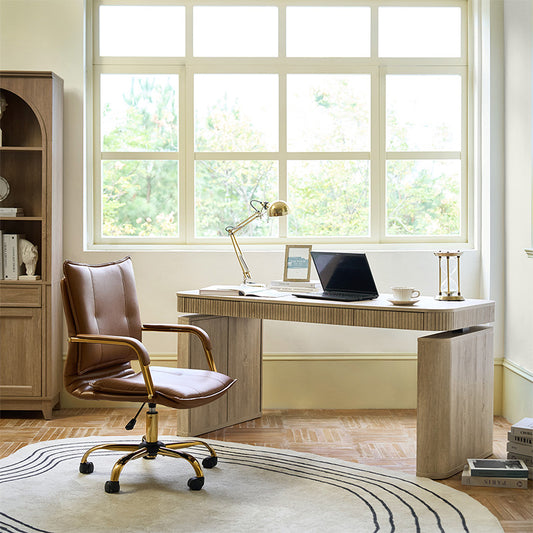
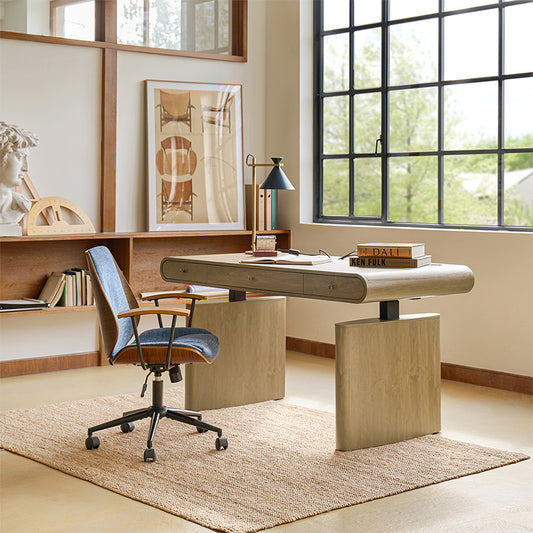
Desk Facing the Window: A Natural Alarm Clock to Awaken Vitality
Should a home office desk face a window?
Many home workers love the view—it brings in natural light and gives your eyes a break.
1. Light Advantage: A Natural Stimulant
Morning sunlight streaming onto your desk can stimulate the retina to produce serotonin—a “happiness hormone” that not only boosts your mood but also enhances focus. The color temperature of natural light (from warm yellow in the morning to cool white at noon) better aligns with the body’s circadian rhythm. Compared to artificial lighting, it reduces visual fatigue and delays the onset of sleepiness.
2. Broadened View: Breaking Spatial Confinement
Looking out at greenery, pedestrians, or street views can instantly relax a tense mind. Studies show that viewing something 6 meters away every 20 minutes can relieve eye strain. Placing your desk by the window is especially beneficial for small spaces, as the outdoor scenery visually extends the room and alleviates feelings of stuffiness.
3. Potential Downsides: Glare and Distractions
However, sitting by the window isn’t without flaws. Direct sunlight at noon can cause screen glare, forcing your eyes to constantly adjust, which accelerates fatigue. Pedestrians, vehicles, or birds outside can also be distracting. The solution? Install blinds or anti-glare film to both regulate lighting and minimize distractions.
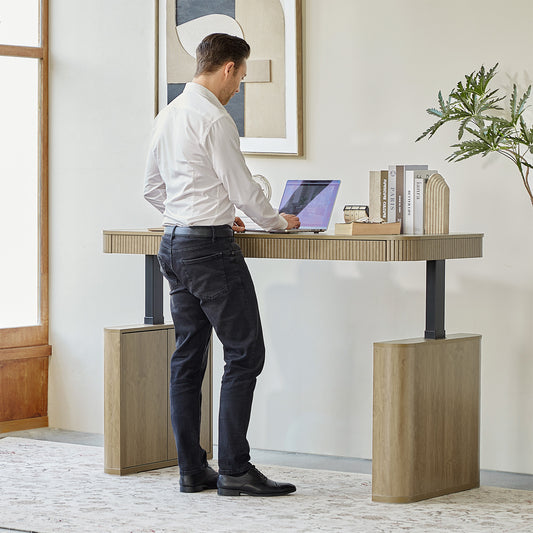
💡Tip: A desk with adjustable height—like the HULALA HOME Adjustable Standing Desk—allows you to shift angles and positions, helping you manage glare more easily and stretch when needed.

Desk with Back to the Window: A Quiet Fortress for Deep Focus
Which way should a desk face in an office?
If your work involves deep focus—coding, writing, or editing—facing away from the window can reduce visual and audio distractions.
1. Stable Lighting: Reduced Visual Disruption
With your back to the window, light falls evenly from behind, avoiding glare and harsh light contrast—ideal for long hours at the computer. It’s especially suitable for tasks requiring precision, like drawing, coding, or working with documents. Stable lighting eases the visual load.
2. Fewer Distractions: Creating a Focus-Friendly Atmosphere
A wall or bookshelf behind you creates a “visual barrier,” blocking the distractions of outdoor movement and helping you enter a flow state. For those easily distracted, facing away from the window can significantly improve productivity. Additionally, the space behind you can be used for a storage wall or inspiration board, keeping materials within reach and reducing the need to get up.
3. Possible Drawback: Lack of Energy
But over time, facing away from the window may feel oppressive due to the lack of natural light. On overcast days, dim indoor lighting can make you feel even more tired. It’s recommended to pair this setup with an adjustable desk lamp that mimics natural light, and to take regular breaks to stretch and gaze into the distance.
💡Tip: Use an electric stand up desk like HULALA HOME's to keep energy levels up. Even when facing away from the window, switching between sitting and standing can keep your body alert and reduce slouching fatigue.

Choosing the Right Setup: Tailor to Your Needs, Combine Flexibly
1. Choose Based on Task Type
Creative work (writing, design): Face the window. Natural light can inspire creativity, and the view can help overcome mental blocks.
Focus-intensive tasks (exam prep, data processing): Sit with your back to the window to minimize distractions, using ample artificial lighting.
2. Make Smart Use of Tools
Whichever direction you choose, you can optimize lighting with curtains, lamps, and anti-glare screens. For example, use motorized blinds to automatically adjust light levels when facing the window, or place a 3000K–4000K eye-care lamp at the front-left of your desk when sitting with your back to it to simulate natural lighting.
3. Dynamic Adjustment for Flexibility
If possible, try a “dual-mode” layout: place your desk near a window but leave space to rotate or move. Face the wall when you need to focus, and turn toward the window when you need a break. This way, you can switch your environment depending on your state of mind.
FAQs About Office Desk Layout
How to arrange a desk in a home office?
Start with your needs: light, noise, space, and posture. Position your desk where it feels most comfortable, and consider modular options to allow for flexibility.
What is the best orientation for a home office?
There’s no universal rule. Creative roles may thrive near a window, while data-heavy tasks might call for fewer distractions. If you can, try both and observe which helps you stay in the zone longer.
Which direction should I face while working from home?
Some suggest facing east to sync with natural energy cycles. But practically, face the direction that minimizes distractions and maximizes comfort.
Should I put my desk in the corner?
Corner desks can help define space and isolate distractions—ideal for shared rooms or compact apartments.
The Flexible Solution: Dual Modes + Standing Desk
If space allows, try a dual-mode layout: position your desk near a window, but leave room to rotate your chair or monitor. Need deep focus? Turn toward the wall. Want a creativity boost? Face the window.
And for even more flexibility, use an adjustable standing desk. HULALA HOME’s modern design lets you seamlessly switch between seated focus time and standing stretch breaks—perfect for adapting to your mood and task.
Final Thoughts
Your office desk layout shapes your mindset more than you think. Whether you're facing the window or backing it, blending good lighting, smart tools, and ergonomic furniture (like HULALA HOME’s adjustable standing desks) is key to sustainable productivity.



No comments